File:DesignerTool.PNG
Jump to navigation
Jump to search

Size of this preview: 800 × 363 pixels. Other resolutions: 320 × 145 pixels | 2,524 × 1,146 pixels.
Original file (2,524 × 1,146 pixels, file size: 420 KB, MIME type: image/png)
Summary
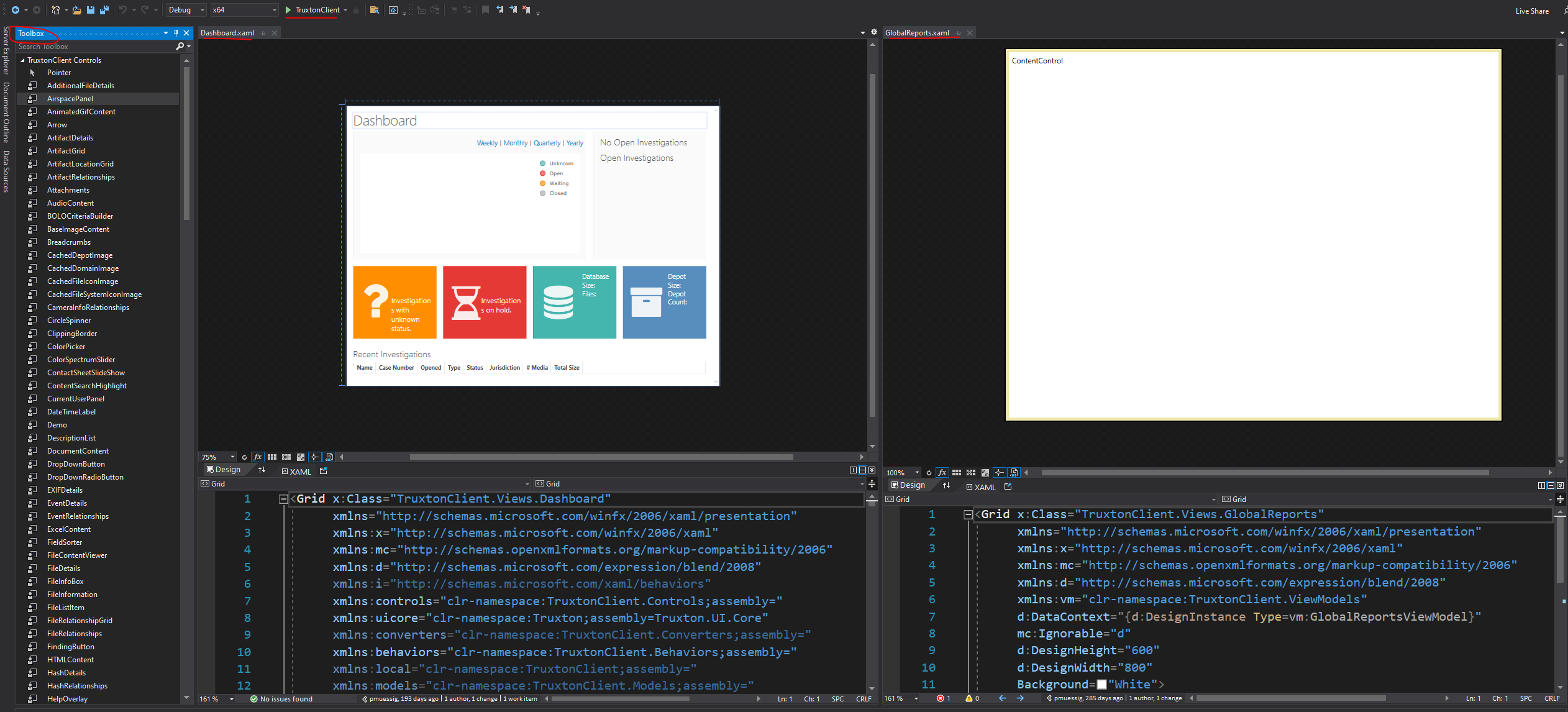
Shows Visual Studio Tools. At the top is the button to run the Development build. The left is the Toolbox which is used to drag and drop UI elements to the Designer Window. The center/right shows a working Designer window and one that doesn't work.
Unfortunately, we can't rely on the Designer window because it doesn't always work.
File history
Click on a date/time to view the file as it appeared at that time.
| Date/Time | Thumbnail | Dimensions | User | Comment | |
|---|---|---|---|---|---|
| current | 12:18, 2 November 2021 | | 2,524 × 1,146 (420 KB) | Adrian (talk | contribs) | Shows Visual Studio Tools. At the top is the button to run the Development build. The left is the Toolbox which is used to drag and drop UI elements to the Designer Window. The center/right shows a working Designer window and one that doesn't work. Unfortunately, we can't rely on the Designer window because it doesn't always work. |
You cannot overwrite this file.
File usage
The following page uses this file:


